












Live photo wall FAQQuestions, answered.
For guests, hosts, and anyone comparing plans.
About Pixloud
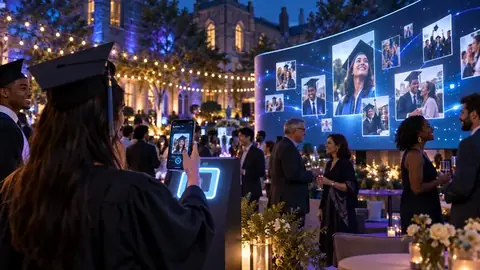
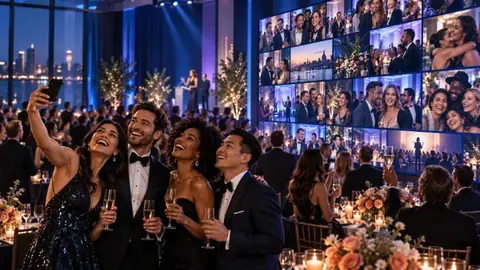
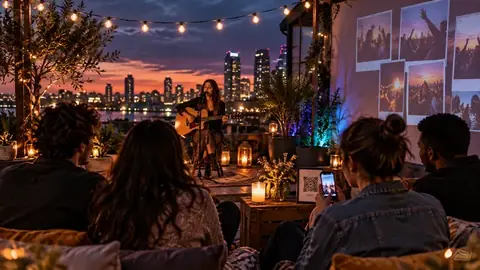
Pixloud is a live photo wall for events. Guests scan a QR code and share photos, short video clips, voice notes and messages from their phone's browser. You approve each one, and it appears on the big screen within seconds. With Toonloud, guests can also have an illustrated portrait drawn from a selfie.
Free covers one event with up to 25 photos. Essential is $79 and Signature is $149, paid once per event, with no limit on the total number of photos. If you host every month, Studio is $39 a month, and Agency is $99 or $179 a month. An always-on venue wall is $49 a month on the Venue plan, or included with Studio and Agency. Drawn portraits are extra, from $29 for 100.
Weddings, birthdays, anniversaries and parties; community, faith, school and nonprofit gatherings; and conferences, awards nights, launches and company events. If your event has guests with phones and a screen, it works. Cafés, restaurants, churches and gyms can also run an always-on venue wall.
A shared album collects photos quietly in the background. Pixloud puts them on the big screen while the event is happening, with you approving each one first, and it takes voice notes and messages too. Afterwards you can download everything or make a Moments recap video. Compared with a photo booth, there's no line and nothing to rent: every guest's phone is the camera. See Pixloud vs a photo booth.
Toonloud is a portrait guestbook built into Pixloud. Guests take a selfie on the same QR page, pick a style, and about half a minute later get an illustrated portrait. It appears on the big screen with their name and message, and you keep every one. There are 15 styles, from watercolor and line art to anime, superhero and game day.
Yes. A venue wall is always on: one QR code stays on the tables and customers share every day, with limits per phone and your approval before anything reaches the screen. The Venue plan is $49 a month, and Studio and Agency include venue walls. See venue walls.
For guests
No. The QR code opens your event's page in your phone's browser. There's nothing to install.
No. You can share photos, clips, voice notes and messages without signing up or giving an email address.
The host approves everything first. Once it's approved, it appears on the wall within seconds.
If the host switched them on, yes. You record them on the page itself — no app. Clips stop at 10 or 15 seconds, voice notes at 10 or 20.
Only if the host chooses to play it through the wall. Either way it joins the voice guestbook they keep.
Your host sets a limit per phone for each kind. The page shows how many you have left.
If the host switched portraits on, scan the event's QR code and tap Get your portrait drawn. Take a selfie (two or three people in one photo is fine), add your name and a short message, pick a style and tap Draw my portrait. It takes about half a minute, then you can save or share it.
It's used only to draw your portrait and is deleted as soon as the portrait is drawn. The hosts keep the drawing, not the selfie. Nothing recognises or identifies faces.
For hosts
A few minutes. Create an account, name your event, choose a theme and download your QR code.
No. After you sign up you go straight to your first event. We also email you a link to confirm your address: confirm it before you invite helpers or sign in on another device.
Yes. Invite up to 20 moderators by link. They get their own login, see only the approval queue and team chat, and lose access a week after the event.
Any screen with a web browser: a projector, a TV, or a laptop connected to one. A smart TV can join with a 4-digit code at pixloud.app/tv, and Amazon Fire TV has a free Pixloud TV app. Free shows the wall on 1 screen at a time, Essential on 2 and Signature on 5, with more available on Signature for $10 each.
Uploads close and the live wall stops. Your approved photos stay in your dashboard, guests can look back through them in your event album, and you can download everything as one zip. Want them online for longer? Keep them 1 or 3 more years with a one-time payment.
A short video of your approved photos set to music — pick a length and a track, and regenerate it whenever you like. Included on Signature and the monthly plans.
Yes. Upload a logo and pick your colours, or use one of the eleven brand templates. Planners and venues can run Pixloud fully white-label.
Open your event and click Toonloud portraits under Quick links. Tick Let guests get their portrait drawn, choose a quick pick such as Wedding or Birthday & kids, and click Save. Guests use the same QR code. After the event, turn every portrait into a printable guestbook poster or a photo mosaic.
Pricing and billing
Yes. Free collects up to 25 photos and messages on the wall, with no card needed. You can run one free event at a time; once it’s over or upgraded, you can start another.
On Free, every photo, video clip and voice note guests send counts toward the 25, including ones you choose not to approve. Text messages don't. Essential and Signature have no total limit: only the per-phone limits you set, and a fair-use ceiling of 5,000 posts a day on Essential and 10,000 on Signature. Drawn portraits never count.
Every host account gets 25 free portraits once, in one style. After that, add a pack to your event: 100 portraits for $29, 250 for $59 or 500 for $99, paid once. Any pack unlocks all 15 styles and your own theme. Portraits never count toward your photo limits.
Yes. Upgrade from the event page while the party is running and the higher limits apply straight away.
Share your link and when a friend books their first paid event you each get $20 credit. Planners, DJs and booths can also earn 20% as a partner, or resell Pixloud under their own brand.
Privacy
No, and it never will. It's a permanent product decision. Toonloud draws portraits from a guest's selfie without recognising or identifying anyone, and deletes the selfie as soon as the portrait is drawn.
Anyone with your wall link, while the event is live. Only approved photos are shown.
Free for 7 days, Essential for 6 months, Signature and the monthly plans for 12 months. We email you 30 days, 7 days and 1 day before anything is deleted, and you can download everything at any time. Want them online for longer? Keep them 1 more year for $19 or 3 more years for $39, paid once.
Yes. Ask the host during the event, or email us and we will erase anything of yours.
Still have a question?
We're happy to help you plan your event.
Still wondering
Ask us anything before the day.
Most hosts write to us once, a week before their event. We answer within a working day.